Ship your app. We'll take care of the rest.
AI helpdesk, live chat, and knowledge base — purpose-built for Shopify app teams.
Get Started Free
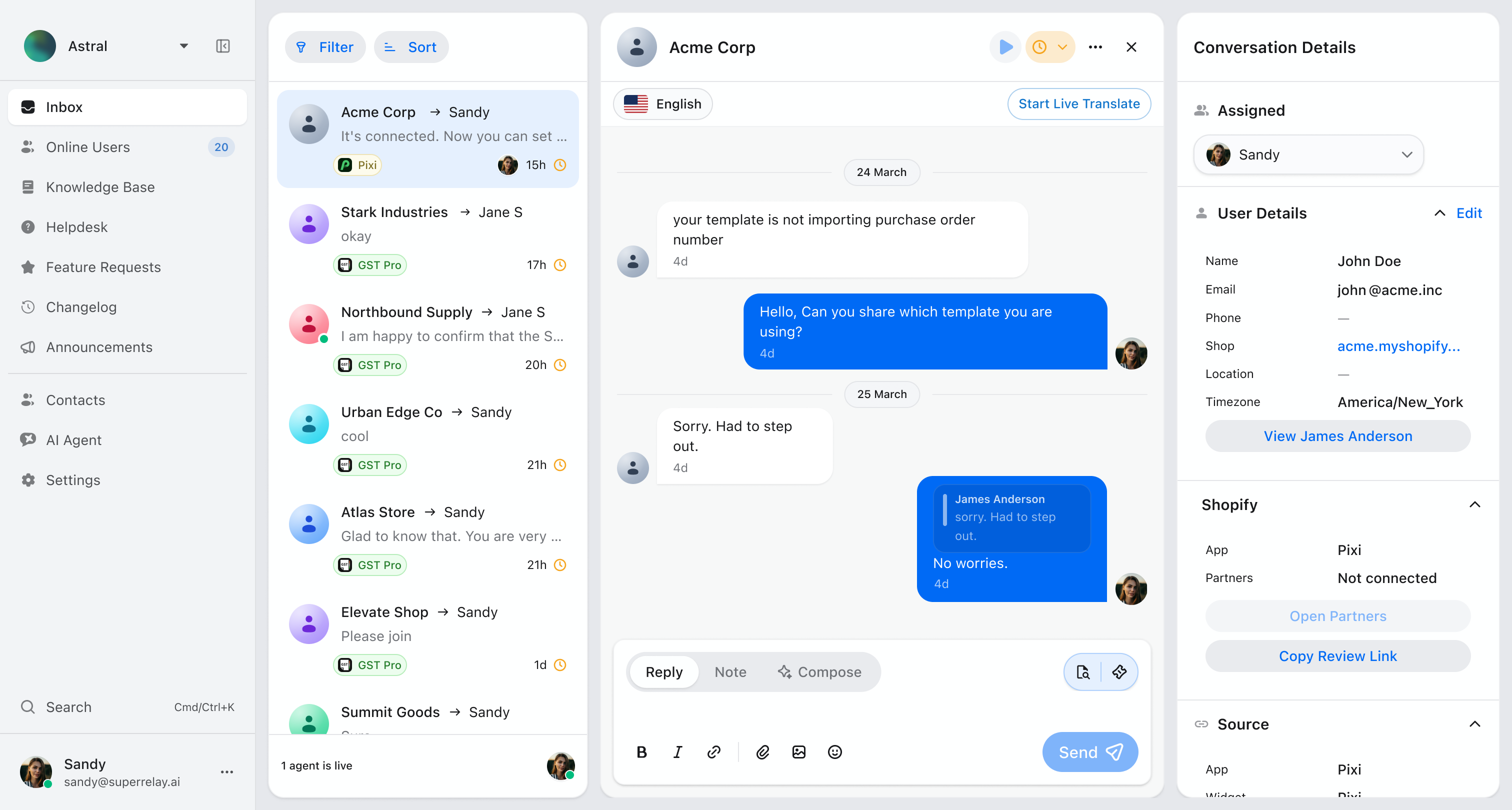
Your entire support workflow — one screen.
Conversations, customer context, AI agent, and team collaboration — all in one place.
Shopify Apps that use SuperRelay
 Hype Discounts
  Pixi Order Printer
  GST Pro
  Valet
Valet  FlowSend
 See it in action
Every feature, one minute or less.
Short demos of how SuperRelay works in practice — from AI conversations to Shopify-native review requests.
Helpdesk, feature requests, and changelog render directly inside your app using Polaris-native surfaces. Your customers never leave.
Why SuperRelay
Why teams switch to SuperRelay.
Support tools shouldn't slow you down. SuperRelay is built for teams that ship fast and care deeply about their customers.
AI-Powered
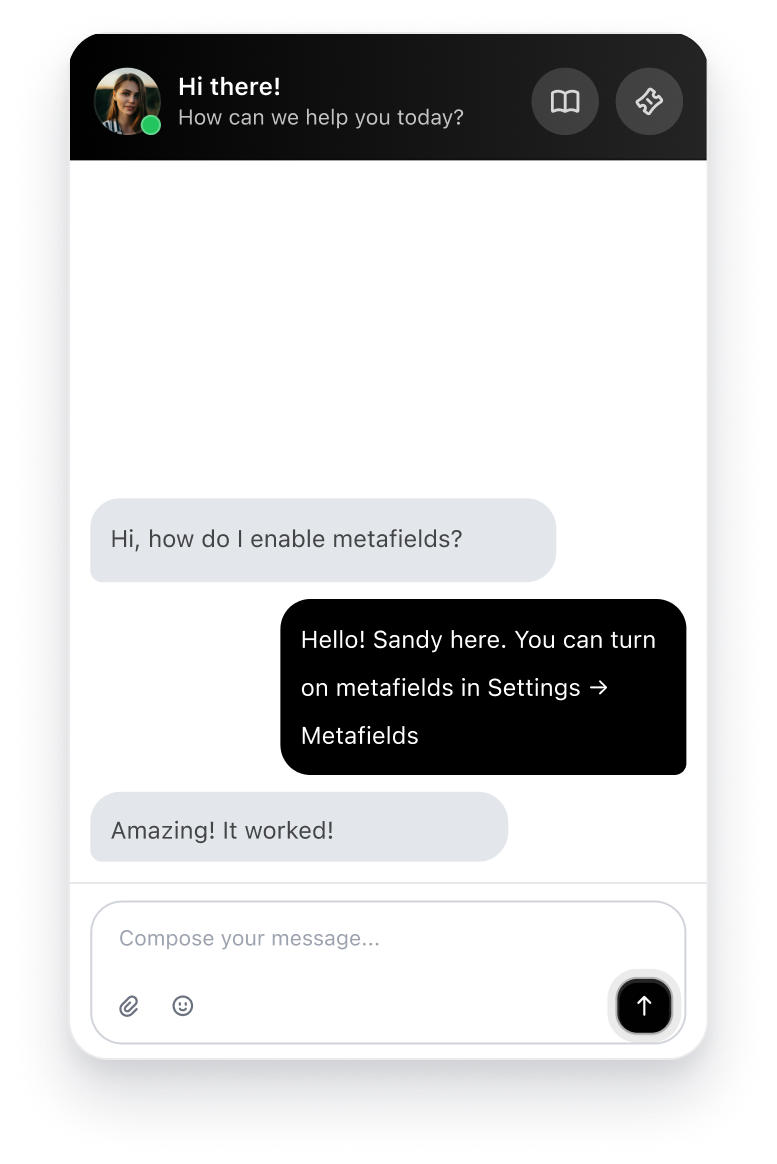
AI agent + AI compose, working together.
AI replies grounded in your knowledge base, with smart routing, human handoff, and ticket fallback — so nothing slips through.
- AI replies grounded in your knowledge base
- Routing rules to direct conversations automatically
- Smooth human handoff when it matters most
- Ticket fallback for issues that need tracking
- AI compose to help agents draft faster responses


Hi, my orders aren't syncing in the app. It's been stuck since this morning.
I checked our knowledge base — this usually happens when the sync needs a manual trigger. Could you try pressing the "Sync Now" button in Settings → Orders?
2 min ago
Just tried it — still not working. The button spins but nothing happens.
Got it — this looks like it needs someone from the team to investigate. I'm creating a ticket now so they can take a closer look.
Just now Ticket #1847 created
Order sync failure · Assigned to team

One platform, not five
Stop juggling live chat, ticketing, and docs in separate tools.
SuperRelay combines everything into one command center — so your team spends time helping customers, not switching tabs.
In-app support surfaces
Your customers never leave your app.
Embed helpdesk, feature requests, and changelog directly inside your Shopify app using Polaris-native surfaces. No redirects, no context switching.
Realtime support
See who's online right now.
Live chat with online visitor presence, session replay, and instant handoff while the customer is still active — so you can help before they leave.
One workflow, every channel
Chat, email, Slack — same flow.
Conversations from live chat, email replies, and Slack threads all feed into the same inbox. Reply from wherever you work — context follows automatically.
Helpdesk escalation
AI creates tickets when humans are needed.
When AI can't solve it, conversations become structured tickets with owners, priorities, and customer-visible updates — automatically.
Knowledge base
Train AI per app, per knowledge base.
Create multiple knowledge bases — one per app. AI trains on each individually, so responses are always grounded in the right docs.
Customer context
Everything you need, one sidebar.
Contacts, metadata, app-specific context, and live translation — all visible alongside every conversation. No tab switching.
Getting Started Guide
Setup · 3 min read
Billing & Plans
Account · 2 min read
Troubleshooting Sync
Support · 4 min read
Shopify-Native
Shopify-native workflows, built in.
Shopify auth, embedded Polaris surfaces, review requests, and partner flows — purpose-built for the ecosystem you already live in.
- Shopify auth and embedded Polaris surfaces
- Trigger review requests directly from support flows
- Partner and collaborator account workflows built in
- Separate knowledge bases with AI trained per app
- Multiple partner accounts managed in one workspace
FAQ
Common questions.
How long does setup take?
Most teams are up and running in under 10 minutes. Add the widget script to your site, invite your team, and start receiving conversations immediately.
How does team collaboration work?
SuperRelay supports roles, assignments, internal notes, and shared conversation ownership. Your team can hand off conversations, collaborate on tricky issues, and stay aligned without meetings.
Is SuperRelay built specifically for Shopify app teams?
SuperRelay works for any software team, but it is purpose-built for the pace and workflows of Shopify app founders. The interface is fast, lightweight, and designed for teams that ship quickly.
Who owns the data?
You do. Your conversation data, customer information, and team activity all belong to you. We never sell or share your data with third parties.
Can I migrate from another tool?
Yes. We provide migration support for teams coming from Intercom, Crisp, Drift, and other common platforms. Contact our team for a smooth transition.

Peace of mind
Ready to stop
firefighting?
No more juggling tools. No more missed messages. Just calm, confident support — so you can get back to building your app.
Ship your app. We'll take care of the rest.